

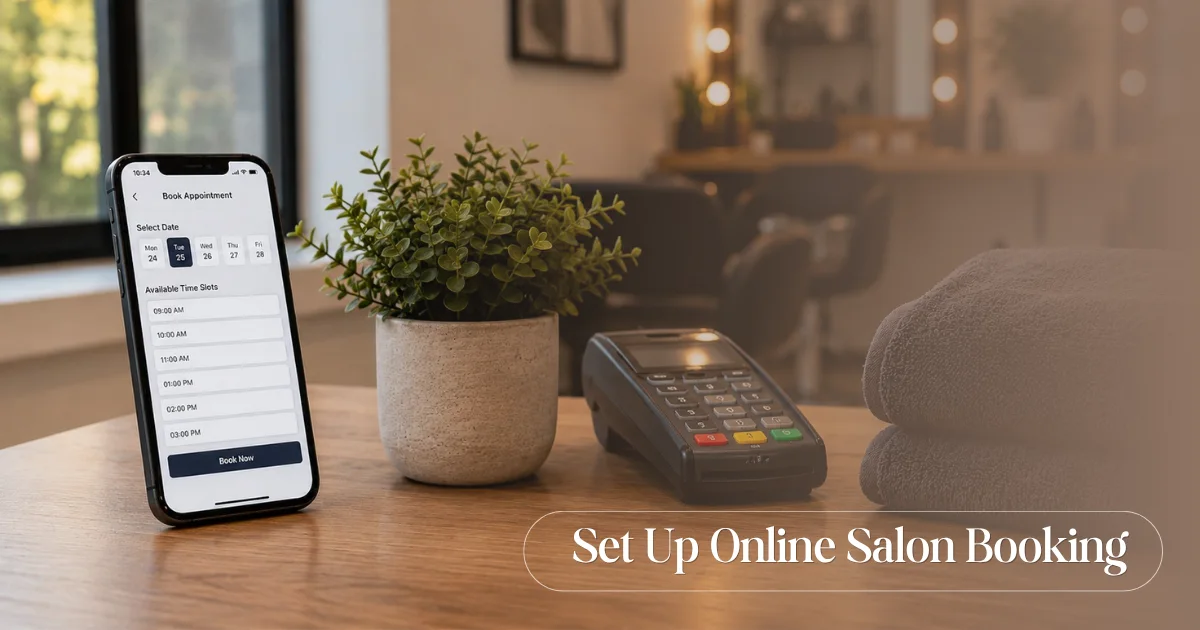
To set up online booking for your salon, choose a booking platform, add your services with prices and durations, set each stylist’s schedule, turn on deposits and automated reminders, then share your booking link on your website, Google profile and social media. Most salons finish the setup in under two hours.
Online booking lets clients reserve a slot at any hour, even when your salon is closed and your phone is unattended. It fills your calendar while you sleep and cuts down on the back-and-forth of phone tag. Here is how to get it running, one step at a time.
Table of Contents
- Step 1: Choose Your Booking Platform
- Step 2: Build Your Service Menu
- Step 3: Set Staff Schedules and Availability
- Step 4: Set Your Booking Policies
- Step 5: Turn On Automated Reminders
- Step 6: Share Your Booking Link Everywhere
- Step 7: Test It Yourself Before You Announce It
- A Realistic Timeline
- Frequently Asked Questions
Step 1: Choose Your Booking Platform
Start by picking software that fits the way your salon works. A good platform should handle bookings, staff calendars, reminders and payments in one place, so your front desk is not juggling separate tools.
Look for these essentials:
- A booking page or link clients can use on any device
- Real-time availability so two clients never grab the same slot
- Staff schedules and service mapping
- Automated SMS or WhatsApp reminders
- Online deposits or advance payments
ReSpark’s salon appointment booking software covers all of this from a single dashboard, with walk-ins, call-ins and online bookings tracked together in one calendar.
Step 2: Build Your Service Menu
Clients can only book what they can see, so your service menu needs to be clear and complete. List every service you offer, along with its price and how long it takes.
Accurate durations matter more than owners expect. If a balayage really needs three hours, the system must block three hours, or your day falls behind by mid-afternoon.
With ReSpark, you add your services to your digital catalog, which also works as your booking menu. Clients can browse your services and prices, then pick what they want before choosing a time.
| Field to set | Example |
| Service name | Hair colour, classic facial, gel manicure |
| Duration | 30 min, 60 min, 180 min |
| Price | Your standard rate |
| Eligible staff | Which stylists can perform it |
Step 3: Set Staff Schedules and Availability
Now add your team to the system. Each stylist gets their own working hours and breaks, along with a list of the services they are able to perform. Once this is in place, your calendar starts working in your favour. It will never show a free slot when there is nobody available to take it, and it quietly keeps any untrained stylist out of view when a client chooses a service they cannot do.
So when someone books colour with a senior stylist, they only see the times that stylist has free. This removes the guesswork and avoids double-booking.
Step 4: Set Your Booking Policies
Policies protect your time and your revenue. Decide how you want to handle confirmations, deposits and cancellations before you go live.
Two settings are worth getting right:
Confirmation type: Choose whether bookings are confirmed automatically or need your approval first. ReSpark lets you pick manual approval or open-calendar auto-confirmation, depending on how much control you want.
Deposits: For long or high-value services, take an advance to secure the slot. ReSpark routes advance payments straight to your bank account, which filters out casual bookers and protects against last-minute drop-offs.
A clear cancellation window, such as 24 hours’ notice, rounds this out.
Step 5: Turn On Automated Reminders
Most missed appointments are not deliberate. Clients simply forget. Automated reminders fix this without adding a single task to your day.
Set reminders to go out ahead of each appointment with the date, time and stylist included. ReSpark sends SMS and WhatsApp reminders automatically, at 24 hours and again 1 hour before the slot.
This one step has the biggest payoff. Timely reminders are the main reason salons see no-shows fall sharply after moving online. For more on this, see our guide on how to reduce salon no-shows.
Step 6: Share Your Booking Link Everywhere
A booking system only works if clients can find it. Once your page is ready, place the link anywhere a client might look for you.
Add it to:
- Your website, ideally as a clear “Book Now” button in the menu
- Your Google Business Profile, so clients can book from Search and Maps
- Your Instagram and Facebook bios
- Your WhatsApp Business profile and away messages
The easier you make it to book, the more bookings you get. Many clients reserve outside normal hours, so a visible link quietly captures business you would otherwise miss. That convenience also lifts your numbers over time, as we cover in how to increase salon revenue.
Step 7: Test It Yourself Before You Announce It
Before you tell clients, book a test appointment on your own phone. Walk through it exactly as a client would.
Check that the right services appear, the durations are correct, the deposit works and the confirmation and reminder messages arrive. Fixing a small issue now is far easier than hearing about it from a frustrated client later.
Once the test booking goes through cleanly, you are ready to go live.
A Realistic Timeline
Setting up online booking is not a week-long project. Most single-location salons are fully set up in an afternoon, usually in under two hours. After that, the system runs in the background while you focus on clients.
If you would rather see it working with your own services and staff, book a free ReSpark demo and we will walk you through the setup.
Frequently Asked Questions
How long does it take to set up online booking for a salon?
Most single-location salons complete the full setup in under two hours. Building your service menu takes the longest, while reminders and policies take only a few minutes each.
Can clients book salon appointments outside business hours?
Yes. An online booking system runs around the clock, so clients can reserve a slot late at night or early morning, even when your salon is closed and nobody is answering the phone.
Do I need a website to offer online booking?
No. You can share your booking link through Google Business Profile, Instagram, Facebook and WhatsApp without a website. A website helps, but it is not required to start taking online bookings.
How does online booking reduce no-shows?
It sends automated reminders before each appointment and can require a deposit to secure the slot. Reminders help clients remember, and deposits discourage casual bookings that often turn into no-shows.
Can clients reschedule or cancel their own bookings?
Yes. With a self-service portal, clients can reschedule or cancel within your policy window on their own, which saves your front desk time and keeps your calendar accurate.